If the app doesn’t open, launch your installed TempusMeter app and go to You → Sign in. On iPhone or iPad, use the iOS app; Android requires an installed development build and is not publicly released. Check platform availability. This website does not sign you in or pass sign-in tokens to the app.
BUILT FOR YOUR NEXT OUTSIDE
Your time. Your pace.
A little further. A little freer. Track your activities, find your rhythm, and enjoy the way there with TempusMeter.
RUNNING✳WALKING✳BIKING✳HIKING✳TRAIL✳ROWING✳WORKOUT✳MOUNTAIN BIKE
YOUR PACE. YOUR PLATFORM.
One familiar feel. Two native apps.
The same warm design and personal-first approach, built for each platform. iOS stays native. Android is in development, not yet a public release.
NATIVE iOS · IPHONE & IPAD
Right at home on iOS.
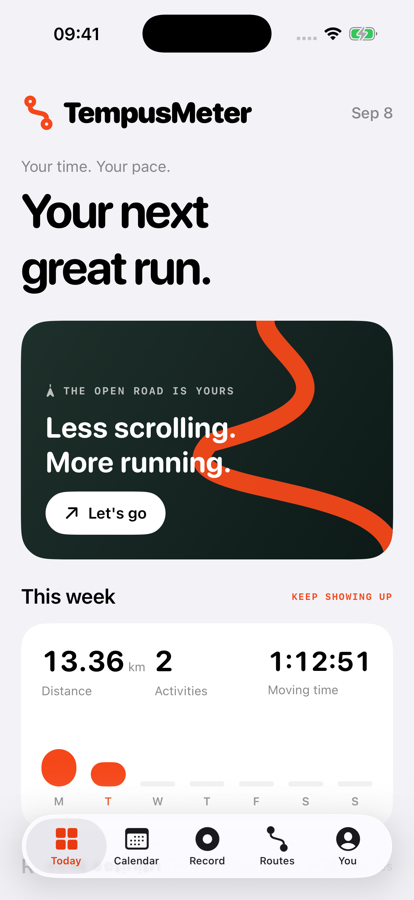
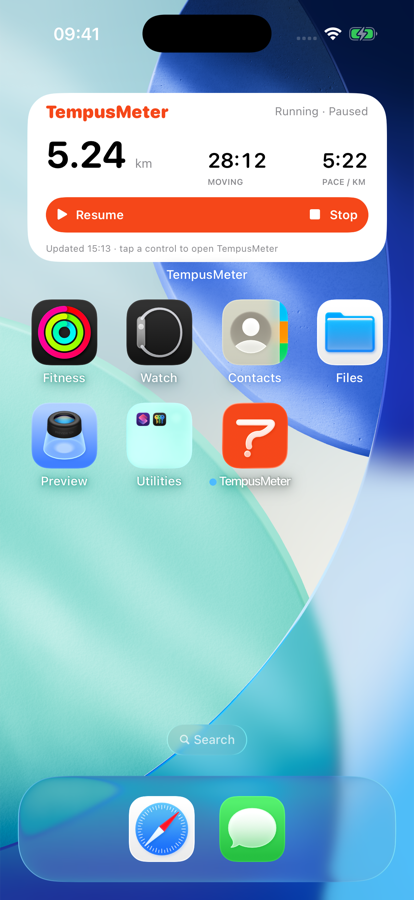
The SwiftUI app for iOS 17+ keeps Apple Maps, Apple place search and WeatherKit. Home and Lock Screen widgets, Live Activities and Dynamic Island remain part of the iOS experience. On iOS 18+, add a flashlight-style Start activity control.
The hero, widget and Community images are actual iOS simulator captures with fictional data. They are not Android previews.
Built alongside iOS in Kotlin and Jetpack Compose for Android 8.0+, aiming for the same UI and full feature parity: recording, accounts, Community, routes, guidance, weather and widgets, plus your calendar, progress and file exports.
Android is planned to use Google Maps + Places and live-only Google Weather forecasts, with Home Screen widgets and an ongoing foreground recording notification instead of iOS Live Activities. Unlike iOS, Android recordings do not retain weather snapshots.
Android weather requires a signed-in account and a configured authenticated backend proxy. Google API keys and billing setup remain pending verification, as do Android device behavior and release readiness.
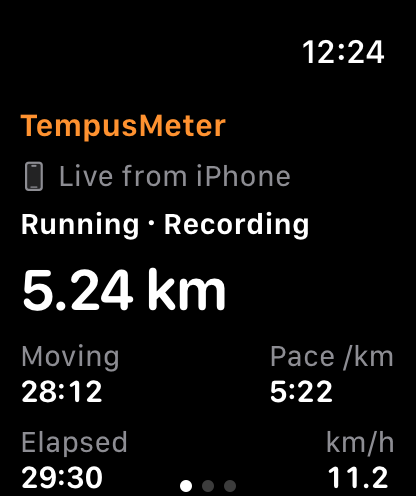
Keep your iPhone with you. The native watchOS 10+ companion shows your active activity’s distance, pace, speed and moving, elapsed and stopped time. Pause or resume that same recording from your wrist.
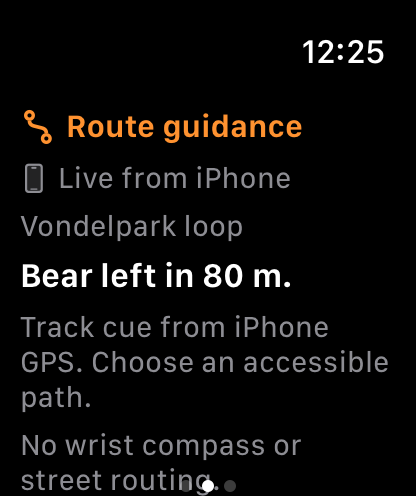
Swipe for the iPhone’s track cues, arrival guidance and off-route distance and compass direction. Return guidance is a direct bearing, not a mapped path or wrist compass. Start, choose routes, save and discard on iPhone. This companion does not record independently or collect heart rate. It requires a compatible paired iPhone, not iPad or Android.
Updates depend on the phone connection. Out-of-date metrics are labeled, stale controls are disabled, and guidance waits for a fresh phone GPS fix. Haptics are available while the Watch app is active, not as a guaranteed background navigation service. Paired-device behavior still requires verification.
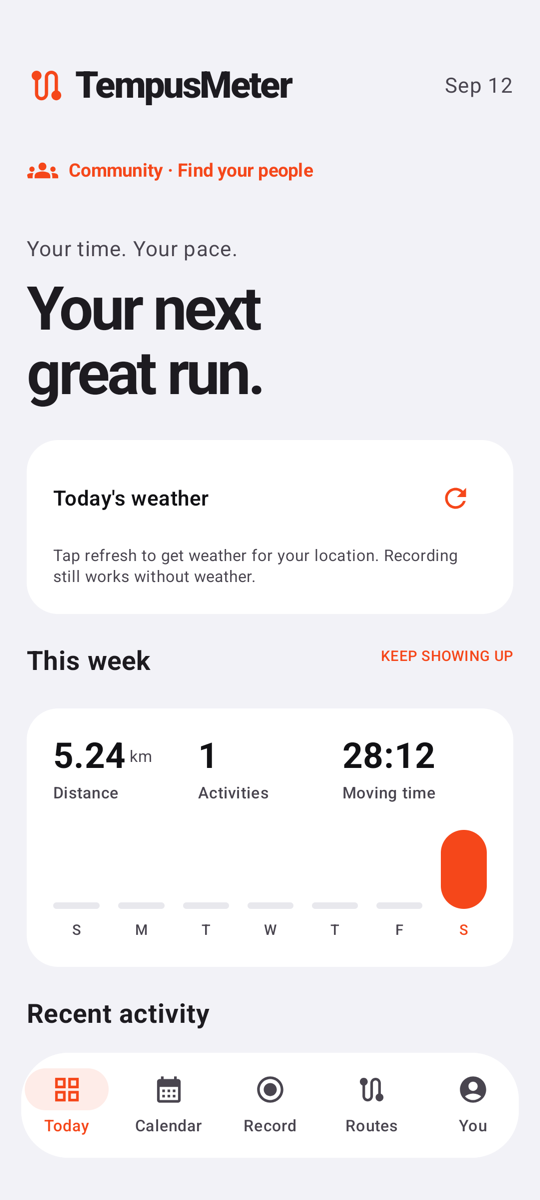
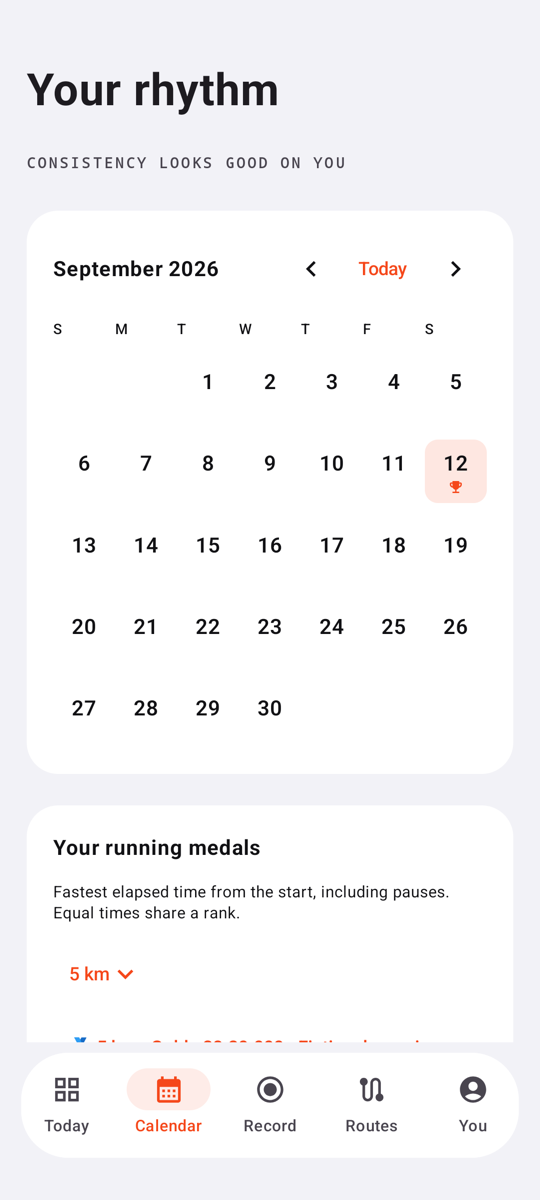
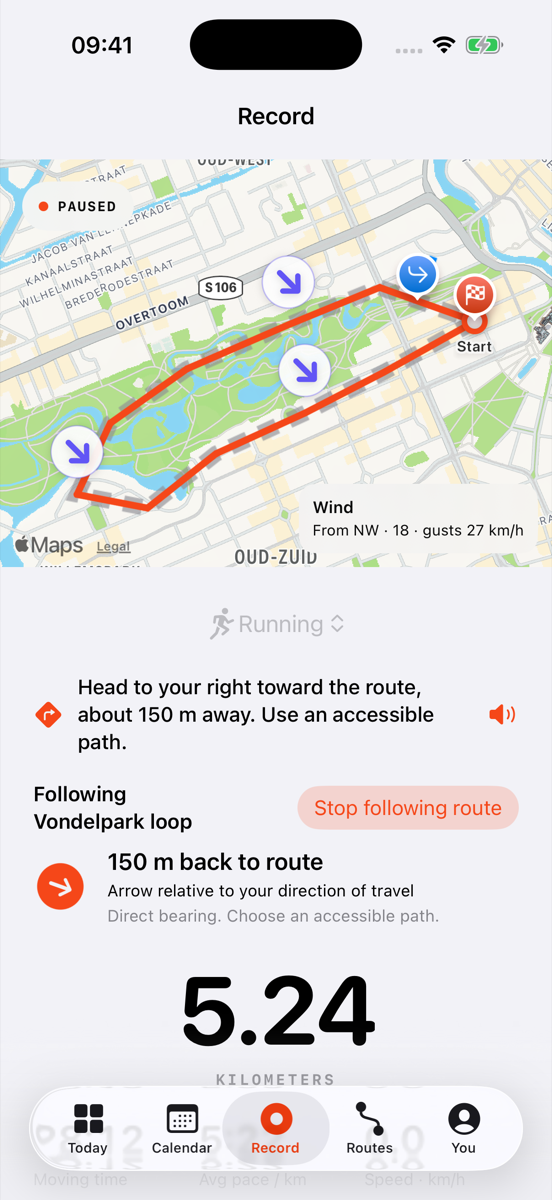
Today and Calendar come from the real native app in a dedicated Android phone emulator. Record shows the iOS app with Apple Maps, captured in a dedicated iPhone simulator. Fictional activities, familiar orange details, and each platform clearly labeled.
Android is still in development. Google Maps is not configured in the Android preview build. Today shows an idle weather refresh prompt rather than a forecast. The iOS recording image does not demonstrate Android recording or Google Maps. These captures do not verify live services or a public release.
Scroll through Android Today and Calendar, then iOS Record. Each caption identifies the pictured platform.
01 / IN YOUR STRIDE
All the details. None of the noise.
From the first step to the last split, keep the things that matter close. These features describe the iOS app; matching them on Android is the development goal, not a claim of current availability.
↗
Find your rhythm.
Live distance, speed, moving pace, and kilometer splits. See moving time and elapsed time separately, with auto-pause for the stops in between.
GPS RECORDING & SPLITS⌁
Take the scenic route.
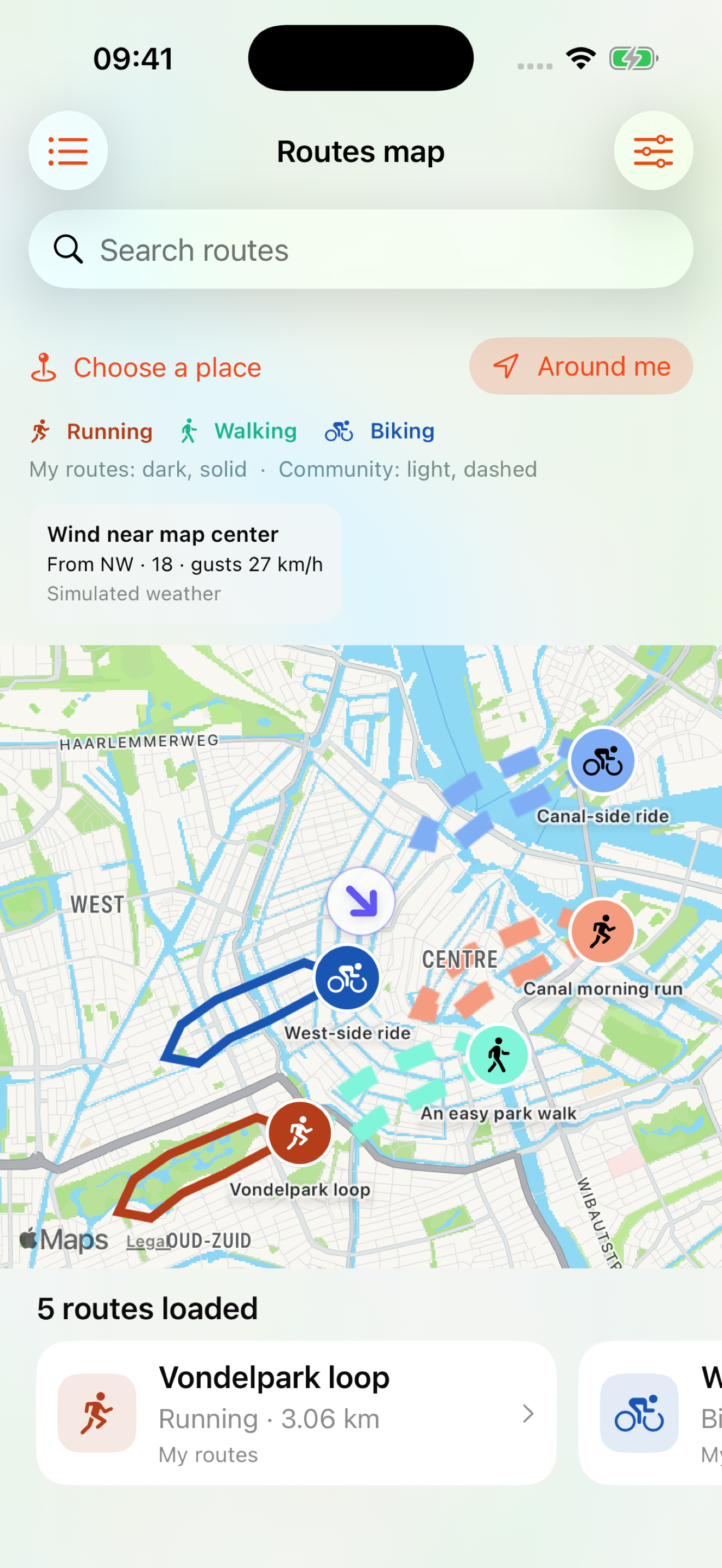
Import a GPX route, choose its activity type, and give it a name. Find route names with native iOS search, or choose a town, park or address. Around me uses your last activity location. Filter route starts within 5–100 km alongside distance, activity and private planned time. Tap Map at the top to see your routes and Community routes together, colored by activity with darker shades for yours and lighter, dashed lines for shared routes. Your routes remain private unless you publish them. Follow a route with bend cues and keep your own completion records. Off route? See a changing direction and distance back to the track. Stop route guidance anytime while your activity keeps recording. Continuous GPS runs only for started or motion-detected activities, and stops on manual pause, save or discard. Return guidance is a direct bearing, so choose an accessible path.
ROUTES & VOICE GUIDANCE▦
See your story grow.
Your week at a glance and every activity in your calendar. Running, walking, biking, and five more ways to keep moving.
WEEKLY OVERVIEW & CALENDAR🥇
Your best, worth celebrating.
Earn gold, silver, and bronze for your fastest running times from 5 km to 50 km, including half marathon and marathon milestones. See your results after saving a run and your medals in the calendar. Rankings use elapsed time from the start, including pauses.
PERSONAL BESTS & RUNNING MEDALS☀
A feel for the day.
On iOS, see Apple Weather icons and an hourly forecast with temperature and rain chance, plus today’s high and low. Find weather below “Your next great run.” At launch or when you tap the card’s refresh icon, a one-time GPS request finds your local forecast. Available iOS conditions and forecasts are saved with your session to revisit later. WeatherKit service setup is required; the pictured forecast is simulated.
iOS DAILY & SESSION WEATHER↶
Keep the activities you want.
Discard an unfinished recording or delete a saved activity with confirmation. Deletions sync with your cloud library when connected.
DISCARD & DELETE
02 / A GLANCE. THEN GO.
Your session, on your Lock Screen.
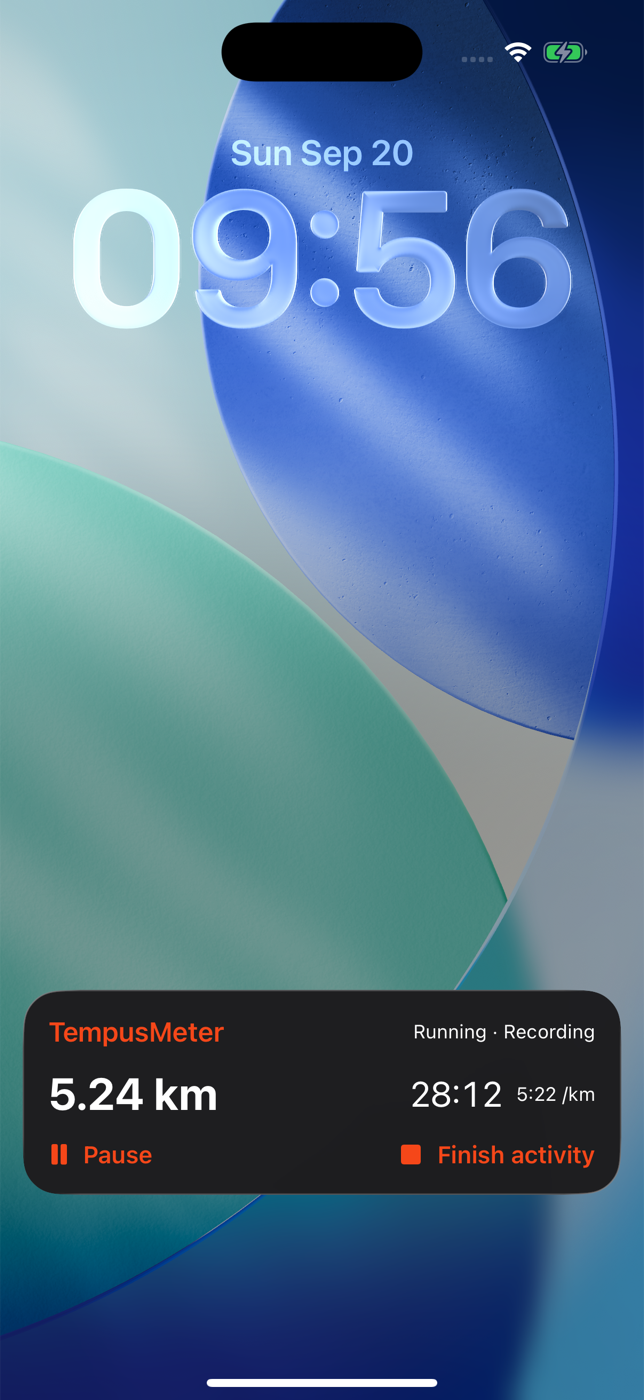
See your distance, moving time, and pace without unlocking your iPhone. During a recording, the Lock Screen Live Activity keeps your session close, with Pause and Finish activity controls that open TempusMeter. The screenshot shows a fictional running session in the real iOS Live Activity.
Add a Lock Screen start widget for running, walking, or biking. On iOS 18+, add a flashlight-style Start activity control to your iPhone Lock Screen, or to Control Center on iPhone and iPad. Choose your activity, tap, and unlock to start. An activity already in progress stays protected.
iOS 17+: Home Screen widgets in three sizes, plus Lock Screen metric and start widgets. iOS only: Live Activities support the Lock Screen and Dynamic Island on supported devices. Widget metrics refresh on iOS’s schedule. Setup: You → Widgets & Lock Screen.
Android Home Screen widgets and a foreground recording notification are in development. They are native Android counterparts, not Live Activities or Dynamic Island.
Actual iOS simulator capture · simulated dataiOS simulator · Lock Screen Live Activity · fictional session
03 / YOUR ACTIVITIES, WITH YOU
Go outside. Stay connected.
APPLE HEALTH · OPTIONAL READ ACCESS
Your devices. One view.
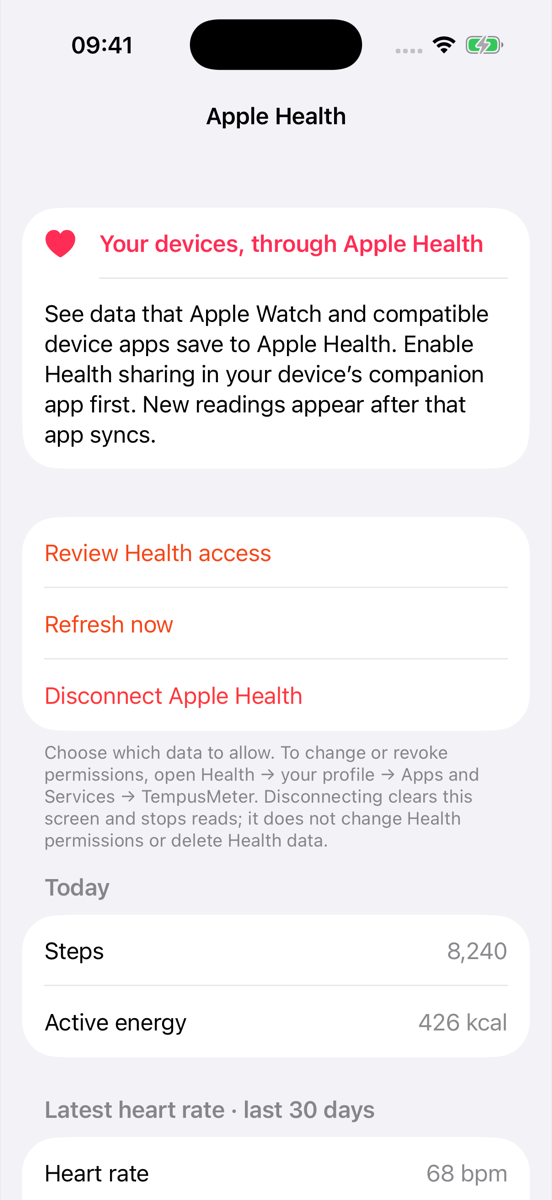
In the iOS app, open You → Connected apps → Apple Health to view today’s steps and active energy, your latest saved heart rate, and workouts from the last 30 days. Apple Watch and compatible device apps must first save their data to Apple Health.
Choose read permissions and refresh on demand. Health readings stay in this screen’s memory, outside activity totals, TempusMeter cloud backups and Community. No live heart-rate streaming or direct device pairing.
iOS simulator · fictional Health readings
LOCAL FIRST · OPTIONAL CLOUD SYNC
A home for your miles.
The iOS app keeps your activity and route library on your device, with account-based Supabase sync when enabled. Android is being built to use the same account and private-library service, alongside local storage.
Cloud sync requires an account and an enabled cloud service. Live cross-platform sync has not been verified. Android weather is live-only, requires sign-in, and is not saved in recordings or synced activities.
STRAVA · AUTOMATIC CONNECTION COMING SOON
Your miles. More places.
Manual transfer to Strava works in the iOS app: export an activity file from TempusMeter and upload it to Strava. Choose GPX, TCX, or FIT from your activity details. Matching file transfers are planned for Android.
Automatic Strava connection is coming soon on both platforms.
IOS / MORE CONTROL, FEWER GLANCES
Keep your miles. Hear your laps.
Automatically detect uninterrupted GPS loops of at least 250 m while running, walking or biking. Completed laps appear in your activity and are spoken aloud when voice guidance is on. Pauses and GPS gaps restart detection; short loops and out-and-back routes are excluded.
Wind arrows sit directly on recording and saved-activity maps from 15 km/h, or gusts from 25 km/h, and follow the map as you rotate it. Arrows show where the wind blows; labels say where it comes from. Saved maps use session weather. The Community routes map shows current wind near the center of the map you are viewing.
Choose You → Delete account & cloud data to keep your activities and saved routes on this device while permanently removing your online account, backups, Community posts and photos. Your cloud library is downloaded first; Community content is not saved locally. Available in the next iOS update; account deletion requires internet.
04 / GOOD MILES. BETTER TOGETHER.
Find your people.
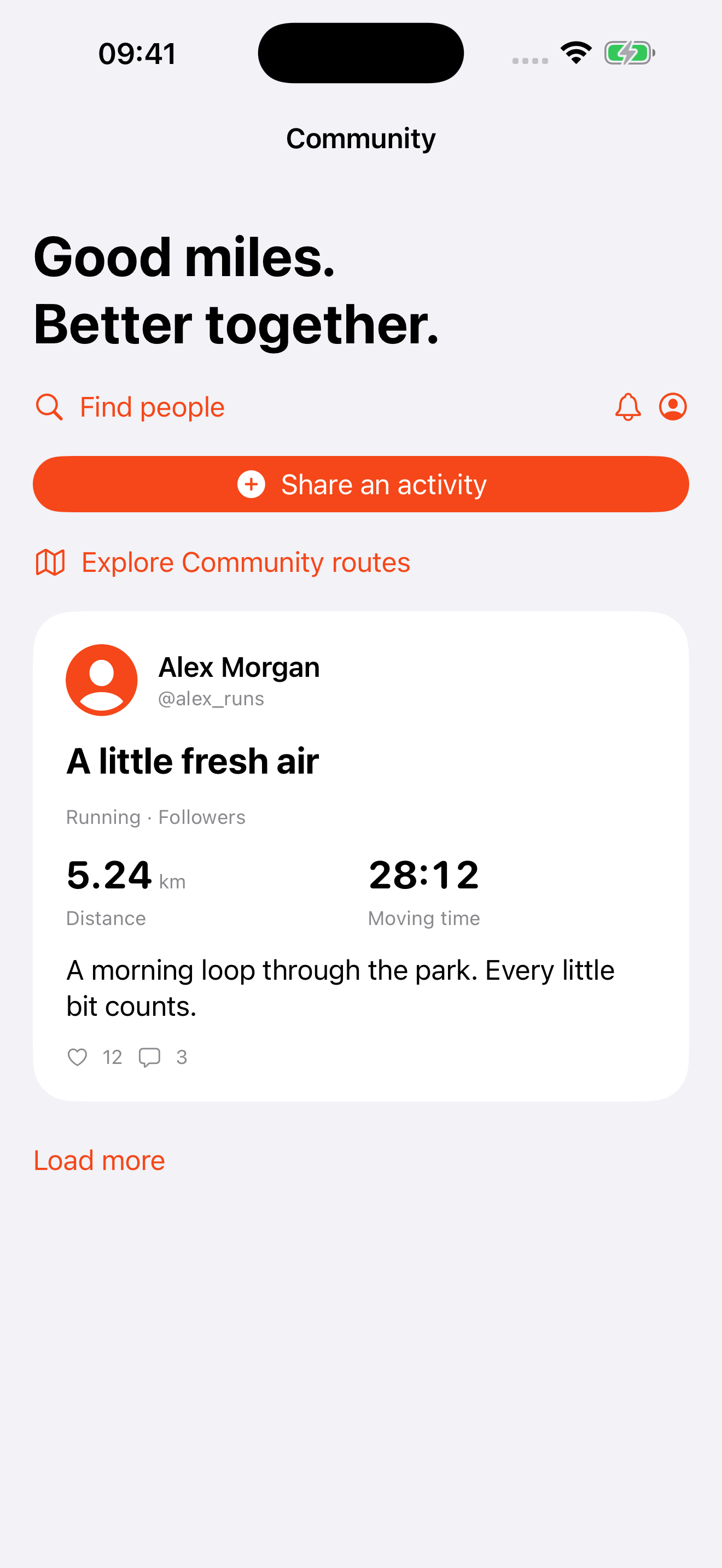
Your activities. Your progress. Your pace. TempusMeter puts you first. Community is a separate, optional space to find motivation from friends. Share an activity when you choose, encourage one another, and return to your own goals. Shown here on iOS; Android Community is in development.
Today marks your published activities, and the sharing picker shows activities you have not published yet. Recording or importing never publishes an activity. New profiles are private and undiscoverable, and new posts default to Only me. Edit your display name, username, bio, location and square profile picture whenever you like, or remove your picture at any time. Choose your audience, approve followers on a private profile, and decide whether to include a route map. Pictures are compressed and stripped of original metadata before upload.
Share a route on its own, or opt in after publishing an activity. Route posts contain a name, activity type, distance and map, without your activity time, date or pictures. Browse Community beside My routes in the Routes tab, or open their combined map directly from the top toolbar. Around me uses your last activity location without waking GPS. Search a place anytime and refine your filters. Browse map-preview cards in both My routes and Community without losing your place. Tap a start pin, save friends’ routes, like them, and optionally share a completion result. Each route shows elapsed-time records and the number of people who shared a completed result.
Route publishing defaults to 0 m hidden at the start and end: the full route is visible to your chosen audience. Review and acknowledge the map, or choose 200 m, 500 m or 1 km privacy areas before publishing.
 TempusMeter